
Direct answer
Fix 404 errors on WordPress by working in order. Find every broken URL in Search Console, sort the list by traffic and links, then fix the cause. If every page returns a 404, resave your permalinks. If one page is missing, restore it or add a 301 redirect to the closest matching page. Then check that each fix works.
What is a 404 error?
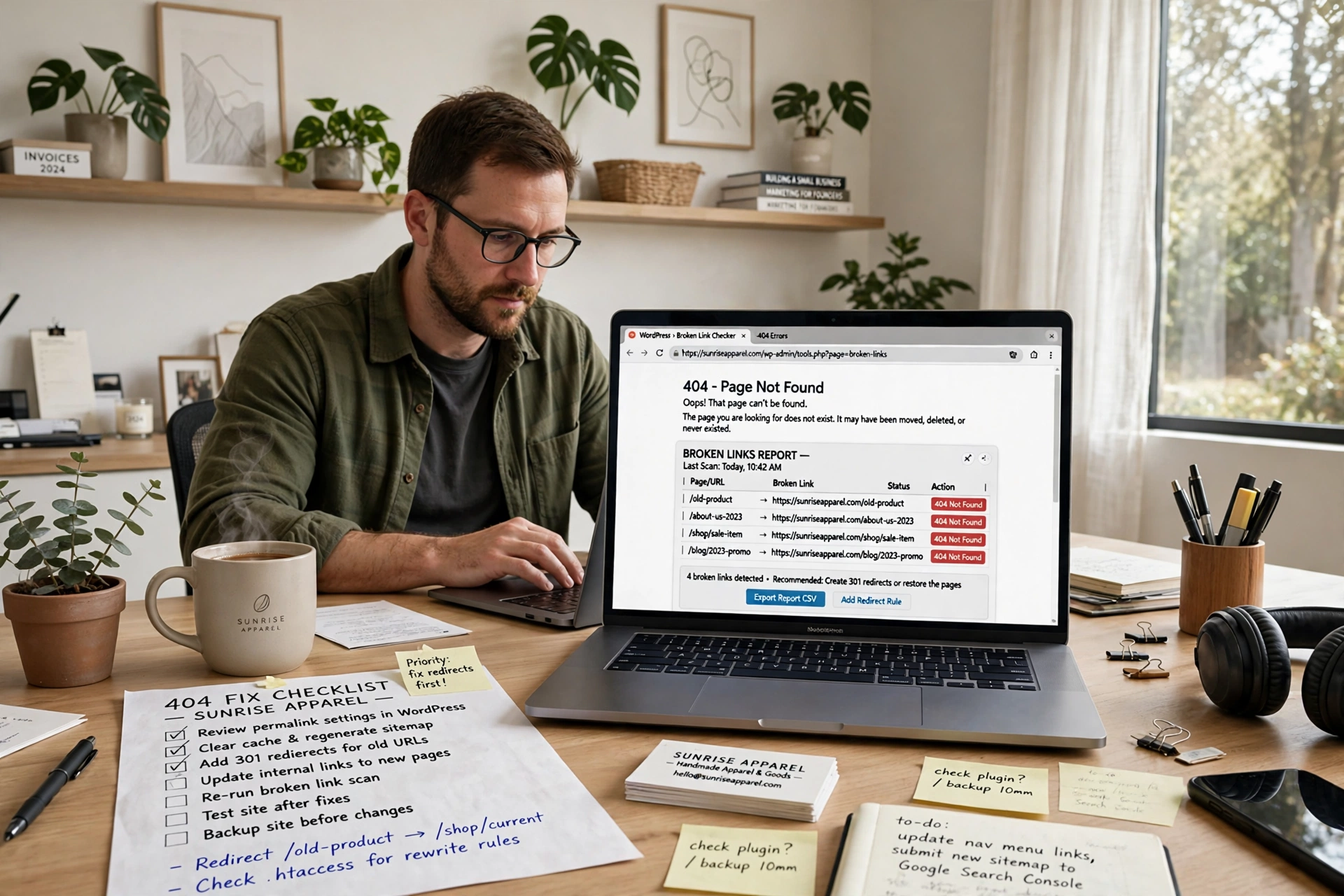
A 404 error is the message a server sends when it cannot find the page at the address you asked for. The page is gone, but the server itself is working fine. Visitors see a page that says “404 Not Found” or “Oops! That page can’t be found.”
There are two kinds. A hard 404 is the real thing: the server returns a 404 status code and the page is genuinely missing. A soft 404 is trickier: the page loads with a 200 OK status but holds almost no useful content, like an empty category page. Google treats that empty page as if it were a 404, per msangeetha.com.
A 404 is also different from a 410. A 404 tells Google the page is missing and might come back. A 410 tells Google the page is gone for good, so use 410 only for pages you retired on purpose, per wpdean.com.
Why do 404 errors happen on WordPress?
Most 404 errors on WordPress come from a small set of causes. The most common is a broken permalink setup: WordPress uses rewrite rules to turn tidy addresses into pages, and if those rules are lost, pages that still exist in the database suddenly return a 404, per msangeetha.com.
Other causes are a page deleted or moved without a redirect, a slug changed after publishing, a damaged .htaccess file, a plugin that changes how addresses work, a site move where old addresses were not updated, and mistyped links.
Why should a small business care?
Broken links are normal on the web, but they still cost a small business visitors. Pew Research Center found in 2024 that 38 percent of webpages from 2013 were gone a decade later, and 8 percent of pages from 2023 had disappeared within a year, per wpdean.com. Ahrefs found that 66.5 percent of inbound links had rotted across 2,062,173 sampled domains, per wpdean.com.
Visitors who hit a dead page usually leave at once. If another website linked to a page that now returns a 404, the value of that link is lost until you redirect it. And Google has to crawl a dead address again to confirm it is still gone, which wastes crawl effort, per wpdean.com.
One reassurance first. Google’s John Mueller said on Reddit in March 2026 that 404s and 410s are not a negative quality signal, per wpdean.com. A few 404s will not sink your rankings. The damage comes from broken pages that used to earn visits or links, and Semrush research has found 4xx errors on roughly a third of sites analysed, per wpdean.com.
How do I find every 404 error?
Do not start fixing until you have the full list. Three sources together catch almost everything, per wpdean.com.
First, Google Search Console. Open Indexing, then Pages, then the “Not found (404)” row. Export the list as a CSV file before you change anything, per wpdean.com. If the Pages report is new to you, read our guide on how to measure SEO results in Google Search Console for beginners first.
Second, crawl your own site with Screaming Frog SEO Spider. The free version covers up to 500 URLs, per wpdean.com. Open the Response Codes tab, filter to Client Error (4xx), and you get every broken internal link plus the page that links to it.
Third, log what real visitors hit. The free Redirection plugin has over 2 million active installations and logs every 404 a real visitor triggers, per wpdean.com.
Finding broken URLs is step 3 of a full site check. Our guide on how to do an SEO audit for a small business website shows the whole routine in order.
Once you have the list, sort it by value, not by count. A 404 with referring links and search impressions outranks 300 dead addresses nobody ever visited, per wpdean.com.
What pattern are your 404s?
The pattern tells you where the fault sits.
| Pattern | Likely cause | First fix |
|---|---|---|
| Homepage works, every pretty URL fails | Server rewrite rules broken | Resave permalinks, then check .htaccess |
| One page fails, the rest work | Slug, status, parent or deletion | Check the page in Posts or Pages |
| Only one content type fails | Custom post type rewrite rules | Resave permalinks, check the plugin |
| Admin works, whole frontend fails | Theme or server setup | Switch theme to test, check server config |
| Old URLs fail after a move | Missing redirect map | Build a redirect map from old and new URLs |
If every tidy address fails but a plain address like /?p=123 still loads the post, the fault is in the rewrite layer rather than in WordPress itself, per themesionic.com.
Fix 1: Resave your permalinks
This is the first fix to try, and it solves most site-wide 404 errors in under ten seconds, per wpdean.com. It changes nothing on your site. It only rebuilds the rewrite rules.
- Log in to your WordPress dashboard.
- Go to Settings, then Permalinks.
- Click Save Changes at the bottom. Do not change any setting first.
- Open a page that was returning a 404 and check that it loads.
WordPress rebuilds the rewrite rules in its options table and rewrites the WordPress block in your .htaccess file, per wpdean.com. If the pages load, the job is done.
If it does not work, switch to the Plain permalink structure, save, then switch back to your usual structure and save again. That forces a full rebuild, per msangeetha.com.
Fix 2: Repair the .htaccess file
If resaving permalinks did not work, the .htaccess file itself may be damaged or missing. It lives in your WordPress root folder, next to wp-config.php, and is hidden by default, so turn on “show hidden files” in your hosting file manager, per wpdean.com.
- Download a copy of the file first, so you can put it back if anything goes wrong.
- Rename the live file to .htaccess_old. Do not delete it. Other plugins may have written their own rules into it, per wpdean.com.
- Go to Settings, then Permalinks, and click Save Changes. WordPress will create a fresh file with its default rules.
- Open a broken page and check that it loads.
The default WordPress block looks like this:
# BEGIN WordPress
<IfModule mod_rewrite.c>
RewriteEngine On
RewriteRule .* - [E=HTTP_AUTHORIZATION:%{HTTP:Authorization}]
RewriteBase /
RewriteRule ^index\.php$ - [L]
RewriteCond %{REQUEST_FILENAME} !-f
RewriteCond %{REQUEST_FILENAME} !-d
RewriteRule . /index.php [L]
</IfModule>
# END WordPress
These rules are for a standard single site at the root of your domain, per adamgreenough.net. Subfolder and multisite installs use different rules, so check with your host first, per adamgreenough.net.
If the file holds other rules you still need, copy them back from .htaccess_old one block at a time, per adamgreenough.net. A broken rule here can take the whole site down, so keep the backup until the fix is confirmed, and set the file permissions to 644, per wpdean.com.
Fix 3: Check Nginx and LiteSpeed
Not every host uses Apache. If your host runs Nginx, there is no .htaccess file at all, because Nginx does not read it, per adamgreenough.net. Fixing 404s there means adding a try_files line to the server settings and reloading the service, per wpdean.com. The line is: location / { try_files $uri $uri/ /index.php?$args; }
On shared hosting you usually cannot edit that file yourself, so ask your host to check that the WordPress rules are in place, per adamgreenough.net.
LiteSpeed sits in between. It reads .htaccess like Apache does, per wpdean.com, so the permalink and .htaccess fixes above apply on a LiteSpeed host.
Fix 4: Find a plugin or theme conflict
If the 404 errors only affect certain page types, like shop products, a plugin or theme conflict is the likely cause, per msangeetha.com.
Deactivate all plugins, test the broken page, then switch them back on one at a time until the 404 returns. The last one you switched on is the culprit, per wpdean.com. Do this on a staging copy, or at a quiet time, per wpdean.com.
For themes, switch to a default WordPress theme and reload the broken address. If the 404s disappear, your theme was changing how addresses work, per msangeetha.com.
If the 404s started right after a plugin install or update, start there. SEO plugins, redirect plugins and plugins that change the login address are common culprits, per adamgreenough.net.
For custom post types, if products fail while normal posts work, resave your permalinks once, confirm the plugin is active, and check whether its address clashes with an existing page, per themesionic.com. A post type using “projects” and a page called “Projects” can conflict and break one or both, per adamgreenough.net.
Fix 5: Fix one missing page
If only one page returns a 404, the problem is usually with that page, not your settings. Open Posts or Pages and check it, including Trash and Drafts, per themesionic.com. Confirm it is published, the slug matches the address, its parent page has not changed, and no other page uses the same address.
If the address changed on purpose, set up a redirect from the old address so existing links and search results still work, per adamgreenough.net. WordPress creates an automatic redirect when you change a post or page slug, per wpdean.com, but custom post types do not always get that treatment, which is why shop product addresses break so quietly, per wpdean.com.
Fix 6: Fix 404s after a migration
Moving a site to a new host or domain is the most common cause of a sudden flood of 404 errors, because old addresses stay stored in the database, per wpdean.com.
- Go to Settings, then General, and check that the WordPress Address and Site Address match your current domain exactly, per msangeetha.com.
- Update old addresses with a search and replace tool such as Better Search Replace, per msangeetha.com. Use one that understands serialized data, because a plain text replace can corrupt WordPress settings, per wpdean.com.
- Purge every cache layer, including your caching plugin and any CDN, per wpdean.com.
- Resave your permalinks.
Build a redirect map before the move if you can, from the old sitemap, analytics, Search Console and server logs, per themesionic.com. After launch, watch the 404 log for addresses your list missed, per themesionic.com.
Migration mistakes are expensive. Search Engine Land documented a media company whose Brazilian site lost roughly 90 percent of sessions after a domain move, with soft 404 errors as the cause, per wpdean.com. Semrush reported a Farfetch case with over 12,000 broken internal links after a migration, where traffic returned within six weeks of the fixes, per wpdean.com.
Redirect, restore or leave it?
Not every 404 needs a redirect. Does the address have inbound links or search impressions? Redirect it. Does it have neither? Leave it as a 404, per wpdean.com.
| Code | What it tells Google | Use it for |
|---|---|---|
| 301 | Moved permanently | Changed slug, merged page, migration |
| 302 | Moved temporarily | Seasonal page, test, maintenance |
| 410 | Gone for good | Retired product, expired campaign |
Point each redirect at the closest matching page, never at the homepage as a catch-all. Blanket homepage redirects get reclassified as soft 404s and pass nothing, per wpdean.com. A redirect to an address that itself returns a 404 fails the actual job, per wpdean.com.
One old worry can be dropped. Google’s Gary Illyes said in 2016 that 30x redirects no longer lose PageRank, retiring the older 15 percent loss rule, per wpdean.com. What still costs you is a chain, so map every old address straight to its final destination, per wpdean.com.
The Redirection plugin is the usual tool for this. Open Tools, then Redirection, and add the old address as the source and the new address as the target, per msangeetha.com.
How do I build a 404 page that helps visitors?
Some 404s cannot be prevented, per msangeetha.com, so a good 404 page turns that dead end into a second chance.
A useful 404 page has a clear message in plain words, a search box, links to your most popular pages, and your normal menu and branding, per msangeetha.com. Keep the menu visible, because a visitor who typed an address usually knows exactly what they wanted, per wpdean.com.
One check matters more than the design. Your 404 page must return a genuine 404 status, not a 200. Some page builders serve a designed 404 page with a 200 status, which turns a clean error into a soft 404, per wpdean.com. Open the page in your browser developer tools and read the status next to the page request in the Network tab. It should say 404, per wpdean.com.
How do I check the fix worked?
Check the raw response, not the page on screen. A page can say “Page Not Found” and still report a healthy 200 to Google, per wpdean.com.
- Purge every cache first: page cache, object cache and CDN. Browser cache lies, per wpdean.com.
- Open a terminal and run curl -I followed by the fixed address, then read the status line. A 200 or a 301 means the fix took, per wpdean.com.
- Recrawl the site in Screaming Frog and confirm there are no unexpected 4xx responses, per wpdean.com.
- Open the fixed page in Search Console, request indexing for the important ones, and click Validate Fix on the Not found (404) report, per wpdean.com.
Validation is slow. Google checks a representative sample, so the count drains over weeks rather than dropping to zero the next morning, per wpdean.com. John Mueller has pointed out that the Mark as Fixed button only tracks reprocessing and does not speed it up, per wpdean.com.
For the full fix list, work through our technical SEO checklist for WordPress beginners.
How often should I check for 404s?
A monthly check is enough for most small business sites, with a quick look after any big change, per wpdean.com.
| Check | How often | What to look at |
|---|---|---|
| Search Console Pages report | Weekly | New Not found (404) rows |
| Live 404 log | Weekly | Real visitor hits and their referrers |
| Full site crawl | Monthly | Unexpected 4xx responses |
| Internal link audit | After bulk edits | Dead links left by deletions |
| Full check after a big change | As needed | New design, host move, migration |
Slug discipline beats every tool on the list, per wpdean.com.
Frequently asked questions
Why do all my WordPress posts return 404 errors?
The rewrite rules broke. Go to Settings, then Permalinks, then Save Changes without changing anything. WordPress rebuilds the rewrite rules and the .htaccess block, per wpdean.com.
Does resaving my permalinks delete my content?
No. Saving the permalink settings only rebuilds the rewrite rules. Your posts, pages and addresses stay exactly as they were, per wpdean.com.
Do 404 errors hurt my SEO rankings?
Not directly. Google’s John Mueller confirmed that 404s and 410s are not a negative quality signal, per wpdean.com. The cost comes from wasted crawl effort, lost link value and visitors who leave at once, per wpdean.com.
Should I redirect all 404s to my homepage?
No. Google reclassifies blanket homepage redirects as soft 404s, per wpdean.com. Redirect only addresses with backlinks or impressions, and point each one at its closest matching page, per wpdean.com.
Why does my page exist but still show a 404?
Usually a custom post type registered without a rewrite flush, per wpdean.com. Resave your permalinks first. If that fails, switch off plugins one at a time until the address loads again, per wpdean.com.
How long does Search Console take to clear 404 errors?
Weeks, not days. Validation runs against a representative sample, so the count drains gradually as Google recrawls, per wpdean.com. Clicking Validate Fix again does not speed it up, per wpdean.com.
Conclusion
Fixing 404 errors on WordPress is mostly a matter of working in order: find every broken address, sort the list by value, fix the cause, then check the repair held. Resave your permalinks first when every page is broken. Restore or redirect single pages one at a time, leave the junk alone, and check monthly.