
Direct answer
Write a meta description that gets clicks by answering the searcher’s question in the first 120 characters, adding one specific detail, and ending with a clear reason to click. Keep it between 120 and 155 characters, use the searcher’s words once, and never copy the same description across pages. Google may rewrite it, but a sharp description wins more clicks.
What is a meta description?
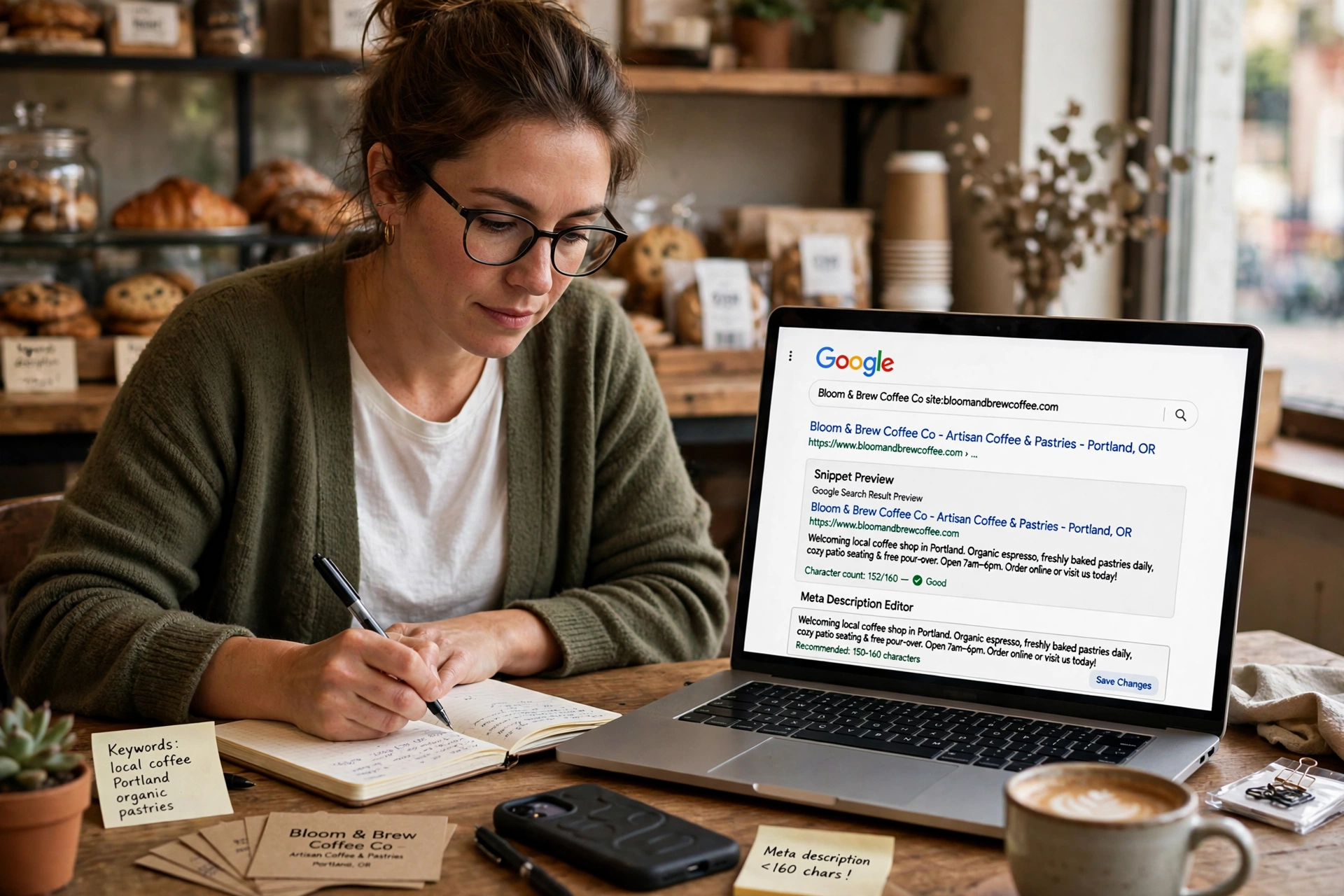
A meta description is the short summary that appears under your page title in Google search results. It lives in the HTML of your page as a small piece of code, and Google may show it as the snippet under your title. It is your two-second pitch to every person scanning the results. They read the title, then they read your two lines, then they decide whether to click or scroll past.
It is not a ranking factor. Google has confirmed publicly, more than once, that meta descriptions are not used as a direct ranking signal, per feckingcreative.co.uk. Putting your keyword in there will not push you up the rankings. Its job is different: it earns the click once you already rank. A page with a sharp, relevant description in position 6 can pull more traffic than a vague one in position 3, per feckingcreative.co.uk.
That click is where the value sits. Meta descriptions do not directly affect rankings, but they affect click-through rate, which absolutely affects rankings, per feckingcreative.co.uk. The honest answer to whether meta descriptions affect SEO is: indirectly, yes, through searcher behaviour, not through the algorithm, per feckingcreative.co.uk. Backlinko and ClickFlow looked at Search Console data for 874,929 URLs and found that pages with a description got about 6 percent more clicks than pages without one, per snoika.com. Write it on purpose, or Google writes it for you, badly, per feckingcreative.co.uk.
How long should a meta description be?
Google truncates snippets by pixel width, not by an exact character count, per rankreactor.ai. That means the limit depends on the letters you use, because a wide letter takes more space than a narrow one. In practice, the working range is clear.
| Device | What Google shows | Safe length |
|---|---|---|
| Desktop | About 920 pixels wide | 150 to 160 characters |
| Mobile | About 680 pixels wide | 115 to 120 characters |
Aim for 150 to 160 characters on desktop, around 120 for mobile, with the most important phrase front-loaded, per feckingcreative.co.uk. The ideal length sits between 120 and 155 characters, per nicolas-lecocq.com. Google does not set a fixed character or pixel limit for meta descriptions, per shopify.com, and it truncates search snippets as needed to fit the device and the search results layout.
The practical rule is simple: put the most important words in the first 120 characters, so the message survives on a phone. Anything after that is a bonus that desktop readers will see. If your description runs past the limit, Google cuts it at the last full word and adds an ellipsis, per nicolas-lecocq.com. A description cut off mid-sentence looks unfinished, and the part that gets cut is often the reason to click.
Do not pad with filler just to hit a length. Short, sharp descriptions often outperform longer ones that get truncated mid-thought, per lawrencehitches.com. If a complete description at 140 characters says everything, use 140 characters. The length is a ceiling, not a target.
What is the four-part formula?
Most good descriptions answer four questions in one or two sentences, per rankreactor.ai. Use this formula for every page, and you will never stare at a blank box again.
| Part | What it does | Example |
|---|---|---|
| The answer | Says what the page is, in the searcher’s words | “Prune roses in late winter, just above an outward-facing bud.” |
| The specific detail | Names one thing the reader can check | “6 mm drop and a rock plate, sized for wide feet.” |
| The proof or benefit | Gives a reason to trust the page | “Free returns within 30 days and next-day shipping in the UK.” |
| The call to action | Tells the reader what to do next | “See where to cut, with photos for each.” |
A description that lifts click-through rate contains four elements: the phrase the searcher used, so Google bolds it in the snippet; the specific thing the page delivers, such as a price, a template, a checklist or an answer; a detail the competing results lack, such as a date, a count or a scope; and a plain verb that tells the reader what they can do on the page, per snoika.com.
Start with a verb. Learn, compare, discover, fix, get, per the66th.com. Write in active voice. Use verbs like learn, discover, get, find or try, per bridalfeel.com. End with a subtle prompt that encourages the click. Phrases like “Read the full guide”, “See examples” or “Get started today” work well without feeling pushy, per bridalfeel.com.
The order matters. Lead with the answer or the benefit, per feckingcreative.co.uk. Front-load the most important content in the first 120 characters so it survives mobile truncation, per lawrencehitches.com. The format that earns clicks is: lead with the benefit, add specifics, end with a reason to click, per feckingcreative.co.uk. Read it out loud before you ship it. If it sounds awkward, fix the wording first, per designstack.co.uk.
What do good descriptions look like?
The best way to learn is to compare a weak version with a strong one. Each pair below is for a common page type on a small business site. Notice that the strong version always gives part of the answer away. That is deliberate. Searchers click when they can tell the page has the rest, per snoika.com.
A how-to guide
Weak: “In this article, we discuss everything you need to know about pruning roses.”
Strong: “Prune roses in late winter, just above an outward-facing bud. See where to cut on bush and climbing roses, with photos for each.”
A product page
Weak: “Buy the best running shoes online. High quality running shoes at great prices. Shop running shoes today.”
Strong: “Trail running shoes with a 6 mm drop and a rock plate, sized for wide feet. Free returns within 30 days and next-day shipping in the UK.”
A local service page
Weak: “We are a leading plumbing company providing quality services to our valued customers.”
Strong: “Emergency plumbers in Leeds, on site within 2 hours, 24/7. Fixed call-out fee shown before we arrive. Gas Safe registered engineers.”
The weak versions all make the same mistakes: they repeat the keyword, they say nothing a reader can check, and they waste words on claims like “leading” and “best” that nobody believes. The strong versions name a fact, a number or a place. Concrete numbers, such as prices and dates, lift clicks, as do verbs that name a task, per snoika.com. Hype words do not.
For a blog post, the same rule applies. A blog post description is a concise summary that appears in search results. Pack a punch in 150 to 160 characters by highlighting what makes your post unique, per shopify.com. The key elements of SEO are the same on every page: say what the page is, say who it is for, and say what the reader gets. If you want the full picture of what makes a page rank, read our guide to the key elements of SEO, which covers content, links and structure.
How do you add a meta description in WordPress with Yoast?
Writing the description is only half the job. You also need to put it in the right place so WordPress can serve it properly, per designstack.co.uk. WordPress does not output a meta description tag by default. That means unless you add one yourself, or use a plugin that does it for you, search engines will pick whatever text they think best represents your page, per inspectwp.com.
Yoast SEO is the most popular way to manage meta descriptions in WordPress, per inspectwp.com. Here is how to set them up, per inspectwp.com:
- Open the post or page in the block editor.
- Click the Yoast SEO icon in the top bar, then Search appearance.
- Type your text into Meta description. The Google preview above it updates as you type, per lpagery.io.
- Watch the colour bar below the field. It changes from red, meaning too short or too long, to orange, meaning acceptable, to green, meaning optimal length, per inspectwp.com.
- Close the dialog and click Save or Update.
Do not chase the coloured bar as if it is the goal, per designstack.co.uk. Read the sentence out loud. If it sounds awkward, fix the wording first. A manually written description almost always performs better than an automated one, per inspectwp.com.
Yoast also lets you set default templates for pages you cannot edit one by one, such as category pages and author pages, per inspectwp.com. Go to Yoast SEO, then Search Appearance, and fill in the Meta description template for each content type. Use the excerpt or the category description as the starting point, and write a real sentence for the categories that matter. Smart eCommerce SEO strategies start with the same habit: every page that can bring in traffic gets its own description, written by hand, not copied from another page.
Why does Google rewrite your meta description?
Google rewrites your description often. Google rewrites somewhere between 55 and 75 percent of descriptions when it thinks yours does not match the query, per feckingcreative.co.uk. According to a study published by Ahrefs covering millions of pages, Google rewrites the meta description in about 63 percent of cases, per nicolas-lecocq.com. Portent’s 2020 data showed 71 percent on mobile and 68 percent on desktop, per the66th.com.
Google rewrites your description when it thinks the page content matches the query better than what you wrote, per the66th.com. That is the whole reason. If your description is a good match for the search, Google will usually show it. If the searcher typed something your description does not answer, Google will pull a sentence from your page instead.
That does not make writing one pointless. Write one anyway, per feckingcreative.co.uk. A clear, specific description that matches the search gives you the best chance of your own words being shown, per rankreactor.ai. And if you skip it entirely, Google grabs whatever sentence it finds, usually a cookie banner, a nav label, or the opening waffle, per feckingcreative.co.uk.
There is one more reason to write them. Google states that it uses the meta description when it accurately describes the page and matches the query better than page content does, per serionflow.com. A description written for the real question the page answers is the one Google is most likely to keep. So write for the question, not for the keyword. The keyword matters because Google bolds it in the snippet, but the answer is what earns the click.
How do you check whether it worked?
A description is a guess until you measure it. Google Search Console shows you the click-through rate for every page, so you can see whether a new description earned more clicks than the old one. Open Performance, switch to the Pages tab, and turn on Impressions, Clicks, CTR and Average position, per rankreactor.ai. Find the pages where better snippets will pay off, per rankreactor.ai, and start there. Do not rewrite every page at once. Start where clicks are being left on the table.
The pages worth fixing first are the ones with high impressions and low click-through rate. They already rank, and people already see them, but they do not click. A sharper description is the cheapest fix available for those pages. It needs no backlink, no redesign and no ad spend, per the66th.com.
Wait at least two weeks after a change before you judge it. Search Console data lags by a few days, and a single day of clicks tells you nothing. Compare the click-through rate for the four weeks before the change with the four weeks after it. If it rose, keep the new description. If it fell, try a different angle. The same habit applies to the rest of your SEO work. Good internal linking for SEO works the same way: you link pages together, then you watch which pages start getting more clicks, and you do more of what worked.
What mistakes should you avoid?
| Mistake | Why it costs clicks | Fix |
|---|---|---|
| Same description on every page | Google treats it as a placeholder and rewrites it | Write one unique description per page |
| Keyword stuffed three times | Says nothing a reader can check | Use the keyword once, naturally |
| Starting with the company name | Wastes the first 120 characters on a name nobody searched for | Lead with the answer or the benefit |
| Vague claims like “leading” or “best” | Nobody believes them and they carry no information | Replace them with a fact, a number or a place |
| Over-promising | The visitor clicks, sees the information is missing, and leaves immediately | Only promise what the page really offers |
| No description at all | Google picks a random sentence, often a cookie banner | Write one for every page that matters |
Keep one description per page. Never copy the same text across the whole site, per xplorevisualcre8tives.com. Only promise what the business really offers, because a description that over-promises raises bounce rates, per xplorevisualcre8tives.com. If you announce detailed 2026 pricing and your page mentions no prices, the visitor will click, see the information is missing, and leave immediately, per nicolas-lecocq.com.
Google’s own guidance describes a good description as short, unique to the page and focused on its most relevant points, per kime.ai. That is the whole standard in one sentence. Short, unique, relevant. If your description meets those three words, it will beat most of the descriptions your competitors are running.
Frequently asked questions
Does a meta description affect rankings?
No, not directly. Google has confirmed that the meta description is not a direct ranking factor, per shopify.com. It affects whether people click, and clicks are a behaviour signal Google uses to judge whether your result is the right one for a query, per feckingcreative.co.uk.
How long should a meta description be?
Aim for 120 to 155 characters, with the key point inside the first 120, per snoika.com. Google truncates by pixel width, about 920 pixels on desktop and about 680 on mobile, so put the most important words first.
Why does Google rewrite my meta description?
Because it thinks the page content matches the query better than what you wrote, per the66th.com. Google rewrites roughly 60 to 70 percent of descriptions, according to various studies, per inspectwp.com. A clear, specific description that matches the search gives you the best chance of your own words being shown, per rankreactor.ai.
Can I use the same meta description on every page?
No. Keep one description per page and never copy the same text across the whole site, per xplorevisualcre8tives.com. Google treats duplicate descriptions as placeholders and replaces them with a sentence from the page.
How do I add a meta description in WordPress?
Install an SEO plugin like Yoast SEO, open the post or page, type the description into the plugin’s Meta description field and save, per hostinger.com. WordPress itself has no such field and prints no meta description, so without a plugin you need a few lines of code, per lpagery.io.
Do I still need meta descriptions in 2026?
Yes. Google’s John Mueller said in June 2026 that the meta description is optional but worth writing for important pages, per kime.ai. A sharp description is one of the cheapest ways to win more clicks from the rankings you already have.
Conclusion
A meta description is a small piece of writing with an outsized job. It does not decide your ranking, but it decides whether the person who sees your result clicks on it or scrolls past. Write it for a person, not a crawler, per xplorevisualcre8tives.com. Start with the answer or the offer, not with your company name. Keep it between 120 and 155 characters, put the most important words in the first 120, and end with a clear reason to click. Add one to every page that matters, check the click-through rate in Search Console after two weeks, and rewrite the ones that are not earning their clicks. That habit, repeated across your site, is one of the cheapest SEO wins a small business can make.