
Direct answer
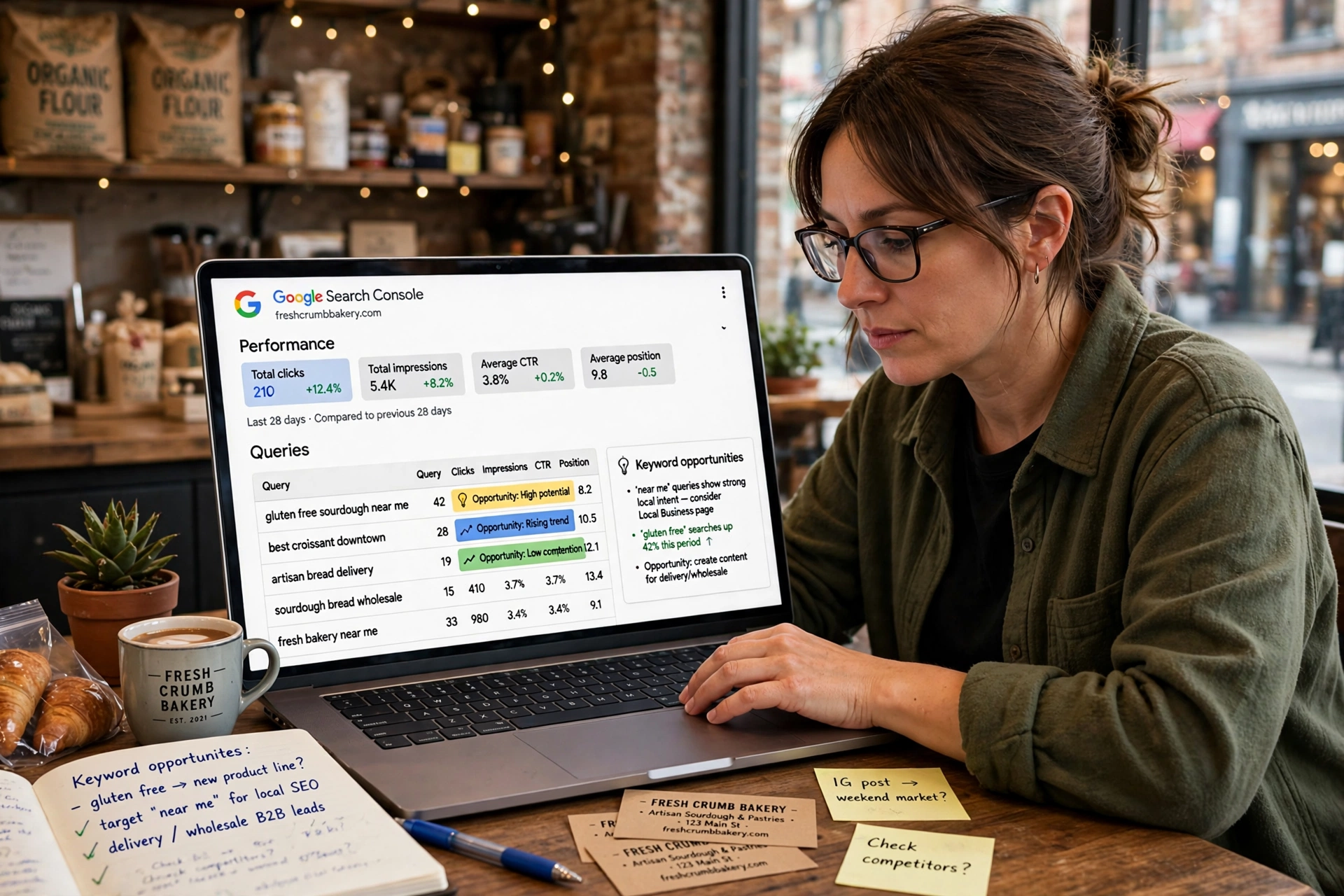
To find keyword opportunities in Google Search Console, open Performance, then Search results, and switch to the Queries tab. Filter for queries at positions 4 to 20 with 300 impressions: those are your quick wins. Look for high impression, low CTR queries, and queries at positions 15 to 50 that point to new pages you have not written yet.
What is a keyword opportunity?
A keyword opportunity is a search your site already appears for, but does not yet win. Google is already showing your page for it, which means Google trusts the page enough to test it. A small improvement, a better title, a clearer answer, a stronger page, can move that page onto page one, where the clicks are far higher.
This is different from guessing new keywords. Most keyword research starts from a tool that estimates what people search for. Search Console starts from the other direction: it shows you the exact queries people typed into Google before finding your site, or before deciding not to click. If your site has enough data, it is one of the most precise ways to do keyword research from your own search performance, according to the thequerypost guide. The data is free, it comes from Google itself, and it covers 16 months of history.
Search Console has honest limits, and knowing them saves time. It only shows queries where your site already has impressions, so topics you have never covered return no data. It provides no search volume estimates and no competitor keyword data, according to the thequerypost guide. For discovery work in new subject areas, you still need another tool alongside it. But for deciding which opportunities already in front of you deserve your time, nothing else is as direct.
What are the four patterns worth mining?
Most keyword opportunities in Search Console fall into four groups. Learn to spot them, and the Queries tab turns from a long list into a short to do list.
| Pattern | What it is | What to do with it |
|---|---|---|
| Proven winners | Queries already bringing clicks | Protect them: keep the page fresh and do not change the title without a reason |
| Quick wins | Queries at positions 4 to 20 with real impressions | Improve the page: better title, clearer answer, stronger content |
| Low CTR | Queries with many impressions but few clicks | Fix the snippet: rewrite the title and meta description |
| New content ideas | Queries at positions 15 to 50 with no matching page | Write the page: the query shows demand you have not served yet |
Proven winners need protection, not automatic rewrites, according to the autoseo guide. Near page one terms are content and linking candidates. The two patterns in the middle, quick wins and low CTR, are where most of your time should go, because they are the closest to paying off. The fourth pattern, new content ideas, is slower work, but it is how a site grows new pages that are already proven to have demand.
How do I find quick wins at positions 4 to 20?
Keywords ranking in positions 4 to 20 already have Google’s trust behind them, according to the thequerypost guide. They are the highest return workflow in Search Console, and the steps take about twenty minutes, according to the blogr guide.
First, open Performance, then Search results, and click the Queries tab. The table lists every query that produced an impression, with clicks, impressions, CTR and average position. Turn on all four metric cards at the top so every row has enough context.
Second, sort by position. Click the Average Position column header to sort ascending, lowest number first, and scroll to the queries sitting in positions 4 to 20. These are pages on page one that are not yet near the top, and pages on page two that are one good improvement away from page one.
Third, sort the same list by impressions, highest first. Focus on queries with at least 300 to 500 impressions, according to the thequerypost guide. Below that threshold, the effort to return ratio rarely justifies the work. A query at position 8 with 2,000 impressions is worth far more than a query at position 5 with 40 impressions.
Fourth, match each query to a page. Click a query to see which pages it appeared for, or switch to the Pages tab and click a page to see which queries bring traffic to it. Then ask one question for each pair: what would make this page the best answer to this query? The answer is usually a clearer opening, a better title, or a few more facts. Make the change, and check the same query again in a month.
Read our guide on how to measure SEO results in Google Search Console to learn what the four numbers mean and how to read them together, because this workflow depends on reading clicks, impressions, CTR and position as a group, not one at a time.
How do I fix high impression, low CTR queries?
A query with many impressions and few clicks means Google shows your page often, but searchers choose another result. The page is not the problem. The snippet is.
Sort the Queries tab by impressions, highest first, and look for rows where the CTR is below the average for your site. These are the queries to fix first, because the audience is already there. The fix is usually the title or the meta description: a title that names the benefit plainly, a description that answers the question in one line, and a match between what the snippet promises and what the page delivers.
Be careful with one thing. A low CTR on a query where you rank at position 18 is normal, because few people click that far down. A low CTR on a query where you rank at position 3 is a real problem, because the page is visible and still losing the click. Always read CTR next to position, and fix the visible pages first.
How do I find new content ideas?
Search Console is not only for improving existing pages. The search queries report points directly to content you have not built yet, according to the thequerypost guide.
Export the Queries report, filter the Position column to show 15 to 50, and sort by Impressions descending. The queries at the top of that list are searches where Google already associates your site with the topic, but you have no page that answers it properly. Group similar queries together, for example all the queries containing “how to”, and look for a pattern: a topic your visitors keep asking about that no page on your site covers.
Then match each group to a page, or to a gap. If a page exists but does not target the query, update it. If no page exists, the query becomes a title for a new post. Record your picks and set a review rhythm, according to the blogr guide: a simple list of the queries you chose, the page you matched them to, and the date you will check them again.
Before you write a new page for a query you found here, read our guide on how to do keyword research for a small business website. Search Console shows you the searches you already appear for. Keyword research shows you the searches you should be targeting next. The two tools work together: one tells you where you are, the other tells you where to go.
What does Search Console not show?
The honest limits matter, because they stop you chasing numbers that do not exist.
| Limit | What it means | What to do instead |
|---|---|---|
| No search volume | Impressions show when your result appeared, not how many people searched | Use a keyword tool for volume, use Search Console for priority |
| No competitor data | You see only your own property | Check competitors with a separate tool, not Search Console |
| Only your own queries | Topics you never covered return no data | Use keyword research for new subject areas |
| Privacy omissions | Very low volume or privacy sensitive queries may be omitted | Accept the gap: the queries shown are the ones that matter most |
| Export cap | The interface export is limited to 1,000 rows | Export regularly and keep a running spreadsheet |
Observed visibility is not search volume, according to the autoseo guide. Search Console is strongest when you ask where Google is already testing or showing your site. It is weaker when you ask how large the entire market for a query is. Use external tools to expand the universe of possible topics, and use Search Console to decide which existing opportunities deserve resources now, according to the autoseo guide.
How often should I do this?
Once a month, for about twenty minutes, is enough. Set a date range of the last three months, which is a practical default for steady trends, and use twelve months when you want to find seasonal patterns, according to the a1ho guide.
The routine is the same each time: open the Queries tab, sort by impressions, filter for positions 4 to 20, pick three quick wins, pick two low CTR queries, and note one new content idea. Write the list down, do the work, and check the same queries next month. The thequerypost guide suggests comparing the last three months year over year for the clearest view of whether a change worked.
Frequently asked questions
How do I find keywords in Google Search Console?
Open Performance, then Search results, switch to the Queries tab, set a date range, and sort by impressions. Then filter for queries sitting around positions 11 to 20 and for queries no page on your site targets. Those are the keywords you can realistically chase next, and you already have the data for free, according to the blogr guide.
What position counts as a quick win?
Positions 4 to 20, with at least 300 to 500 impressions. These queries already have Google’s trust behind them, and a small improvement to the page can move them onto page one or higher up it.
Why does a query have impressions but no clicks?
It usually means the page ranks too low to be seen, or the title and meta description do not win the click. Check the position first: low CTR at position 18 is normal, low CTR at position 3 means the snippet needs work.
Can Search Console replace a keyword tool?
No. Search Console shows what your site already appears for, with real data and no volume estimates. A keyword tool shows the wider market, including searches you have never appeared for. Use both: the tool for discovery, Search Console for priority.
How do I turn a query into a new page?
Group similar queries, check that no existing page targets them, and use the clearest query as the title. Write the page to answer that query directly, with the keyphrase in the title, the first paragraph and one heading, then link to it from a related page.
How long before a fix shows in Search Console?
Search Console data takes a few days to catch up on anything recent, and ranking changes take weeks. Judge a change by comparing the last 28 days with the previous 28 days, not by daily swings.
Conclusion
Google Search Console finds keyword opportunities from your own data, not from guesses. Open the Performance report, switch to the Queries tab, and look for the four patterns: winners to protect, quick wins at positions 4 to 20, high impression low CTR queries to fix, and new content ideas at positions 15 to 50. Filter for at least 300 impressions, match each query to a page, and do the work one query at a time. Twenty minutes a month, every month, turns the Queries tab into the most honest keyword list a small business can own.