
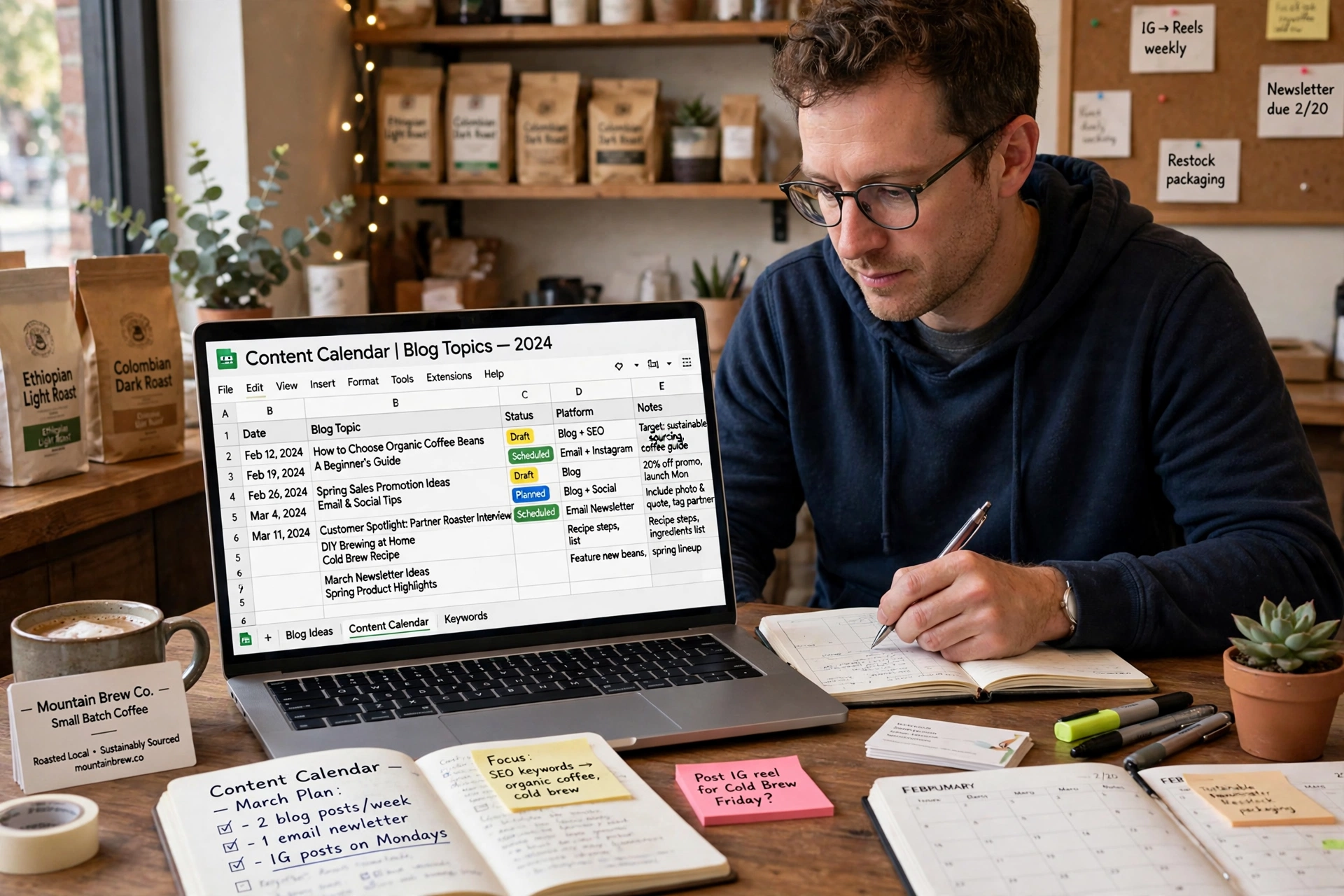
Most small business blogs do not fail because the owner runs out of ideas. They fail because the owner runs out of a plan. The first month starts well, with two or three posts written in a burst of energy. The second month has one post, written late. The third month has nothing, because nobody can remember what was meant to be published, or when, or why. A content calendar stops that slide. It is a simple dated plan of what you will publish, where, and why, and it is the difference between a blog that lasts and a blog that stops after six weeks.
A content calendar is a dated plan of what you will publish, where, and why, per cmoowls.com. It is not a strategy document and it is not a list of wishes. It is a working sheet with dates on it, and every slot has a topic, an owner and a status. This guide shows you how to build one for a small business blog, in a spreadsheet, in under an hour, and how to keep it alive for months.
Direct answer
A content calendar is a dated plan of what your small business blog will publish, where and why. Start with one goal for the month, pick topics from real demand such as customer questions and Search Console queries, set a pace you can keep, and track every slot in a simple spreadsheet with a date, topic, owner and status.
What is a content calendar, and how is it different from an editorial calendar?
A content calendar is the tactical system that organises day-to-day planning, production, publication and distribution, while an editorial calendar gives a higher-level view of themes and campaigns, per Salesforce’s Trailhead guidance, as reported by lordai.net. In plain terms, the editorial calendar says what the next three months are about. The content calendar says what goes out on Tuesday, who writes it, and whether it is done.
For a small business with one owner, the difference barely matters, and you do not need two documents. One sheet can hold both: a short note at the top saying what each month is for, and a dated list below it saying what goes out each week. If you grow and hire help, you can split them later. For now, one sheet is enough.
What matters is that the calendar is dated, specific and shared with anyone who helps you. A list of topic ideas with no dates is not a calendar. A calendar with dates but no owner is not a calendar either, because nobody knows who is meant to write each piece. Every slot needs a date, a topic, a format, a channel, an owner and a status. That is the whole system.
Why do most content calendars die in week three?
Most calendars die in week three for the same three reasons. The owner planned too much, the topics were guesses, and nobody reviewed the sheet. A plan that asks for three long articles a week from a busy owner will fail in the first month, and the failure feels like proof that calendars do not work. They do work. The plan was wrong, not the tool.
The second reason is topics with no demand behind them. If the topics came from a brainstorm and nobody checked whether customers ask about them, the owner loses interest fast, because the pieces bring no response. Topics need real demand behind them, and the guide below shows where to find it.
The third reason is that the calendar was never reviewed. In the Content Marketing Institute’s 2025 B2B research, 58 percent of marketers rated their content strategy only moderately effective, per cmoowls.com. A calendar that nobody reviews is a list, not a system. A short review at the end of each month, looking at what was published, what brought visitors and what was skipped, is what keeps it alive. Plan a month at a time, review it at the end, and reuse one idea across several formats, per cmoowls.com.
Step 1: What is this month for?
Before you pick any topics, decide what the month is for. A calendar with no goal becomes a random list of posts, and random posts bring random results. Pick one goal for the month, and let it shape every topic you choose.
The goal can be simple. It can be to answer the questions that stop people buying, to explain a new service, to prepare for a busy season, or to build pages for the searches that bring you enquiries. A bakery in October might set the goal of Christmas orders, and every topic that month would serve it: how to order, how far ahead to book, what sizes are available. A physiotherapy clinic in January might set the goal of new year injuries, and every topic would serve that.
Write the goal at the top of the sheet in one line. Then check every topic against it. If a topic does not serve the goal, move it to a later month. That one check stops the calendar filling with interesting but useless posts.
Step 2: Where do you find topics with real demand?
Topics should come from real demand, not from guessing. There are three good sources, and all of them are free.
First, your Search Console. Open it, look at the queries that already bring people to your site, and note the ones where you rank on page two or three. Those are questions people already ask, and a better page on that topic can move you up. Learn how to use Google Search Console to find keyword opportunities, because those queries are the cheapest source of topics you will ever have.
Second, your customers. The questions they ask by email, by phone and in person are topics. If three customers asked the same question this month, write about it. It helps to know how to do keyword research for a small business website, so you can check the exact words people use when they search for that question, and see whether a short post or a full guide fits better.
Third, your seasons and key dates. Every business has dates that matter: Christmas, Easter, school holidays, the start of a season, a local event. Plan content around those dates, and publish it early enough to be found. A Christmas guide published in December is too late. One published in October has time to rank.
Collect 12 to 15 topics from these three sources. That is enough for three months at one post a week, with a few spare. Put the best ones in the calendar and keep the rest in a separate list for later.
Step 3: How do you set a pace you can keep?
The most common mistake in a content calendar is planning more than you can publish. A calendar that asks for three long articles a week will be abandoned by week three, and an abandoned calendar is worse than no calendar, because it makes you feel that planning does not work.
Start with the next two to four weeks, per tcb.studio. That is close enough to plan properly and short enough to finish. Aim to fill out your calendar at least one month in advance, per tomeiproductions.com, but build it in small steps. Plan two weeks, publish those two weeks, then plan the next two.
Pick a pace you can keep for six months. For most solo owners, that is one article a week or one a fortnight, plus a short social post between articles. A short post takes 15 minutes. An article takes 2 to 4 hours. If your week has no spare hours, plan one article a fortnight and keep it. A pace you keep for a year beats a pace you keep for a month.
Step 4: How do you build the sheet?
A spreadsheet is enough, with columns for date, channel, format, topic, goal, owner and status, per cmoowls.com. Google Sheets is a straightforward option for a solo publisher, per tcb.studio. It is free, it works on your phone, and you can share it with anyone who helps you. You do not need a paid tool to run a content calendar.
Set up seven columns. Date is the publish date. Channel is where it goes, such as the blog, Instagram or email. Format is the type, such as a guide, a short post or a video. Topic is the subject in plain words. Goal is the one goal for the month, copied into each row so you can check it. Owner is the person who writes it, even if that person is you. Status is where the piece stands.
| Column | What goes in it | Example |
|---|---|---|
| Date | The publish date | 3 March |
| Channel | Where it is published | Blog |
| Format | The type of piece | Guide |
| Topic | The subject in plain words | How to order a Christmas cake |
| Goal | The goal for the month | Christmas orders |
| Owner | Who writes it | You, or a named helper |
| Status | Where it stands | Idea, drafting, ready, published |
Use four statuses and no more: idea, drafting, ready, published. A piece moves from idea to drafting when you start writing, to ready when it is written and checked, and to published when it is live. If a piece stays in drafting for two weeks, that tells you the topic is too big or the week was too busy, and you should split the topic or move the date. The status column is the early warning system of the whole calendar.
How do you plan around key dates?
Key dates give a calendar its shape. Start by listing the dates that matter to your business for the next three months: public holidays, school holidays, the start of a season, a local event, a sale or a launch. Put them in the calendar first, as markers, then plan content around them.
Publish seasonal content early. A guide about Christmas orders should go live in October, not December, because it needs time to be found in search. A guide about summer services should go live in spring. Work backwards from the date: if the event is in December, the guide goes live in October, and the draft should be started in September.
Leave gaps. A calendar with every day filled will break the first time a busy week arrives. Leave one week in each month with no new article, so a delay does not break the plan. That week can hold a short post, a republished older guide, or nothing at all. A calendar with room to breathe lasts longer than one packed to the edge.
What does a worked example month look like?
Here is a month for a small bakery that sells celebration cakes. The goal is Christmas orders. The pace is one article a week, with short posts in between, and one idea reused in three formats.
| Week | What goes out | Format and channel |
|---|---|---|
| Week 1 | How to order a Christmas cake: sizes, flavours and deadlines | Guide on the blog, plus a short social post with a photo |
| Week 2 | How far ahead should you order a celebration cake? | Short blog post, plus a social post with a customer question |
| Week 3 | What size cake do you need for 20 guests? | Guide on the blog, plus an email to the list |
| Week 4 | Review week: check which pieces brought visits and enquiries | No new article, one short social post, plan next month |
One idea, the Christmas order, is reused in three formats: the guide, the social posts and the email. That is the reuse habit that makes a calendar affordable. The owner wrote one guide a week, took three photos, sent one email, and spent about an hour a week after the first guide was written. At the end of the month, the review showed which piece brought the most enquiries, and the next month started with a topic related to it.
A physiotherapy clinic could run the same shape with a different goal: one guide a week about common injuries, short posts with a stretch or a tip, and one email a month. The shape is the same. Only the topics change.
How do you review the calendar at month end?
At the end of each month, spend 20 minutes reviewing the sheet. Plan a month at a time, review it at the end, and reuse one idea across several formats, per cmoowls.com. The review has four questions. What was published? What brought visitors or enquiries? What was skipped, and why? What should next month be for?
If a piece was skipped, do not delete it. Move it to next month or split it into a smaller piece. If a topic brought no response, drop it and try a different angle on the same question. If a topic brought enquiries, write a follow up on a related question next month.
The U.S. Small Business Administration has long recommended calendars as a way for small businesses to plan varied content, schedule updates, reserve time for engagement, and review analytics, per lordai.net. That last part, review analytics, is the part most owners skip. It does not need to be complicated. Look at which pages brought visits, which brought enquiries, and which brought nothing. That is enough to plan the next month well.
What do you do when you fall behind?
Falling behind is normal. A busy week, an illness or a rush of orders will break any plan. The question is what you do next, not whether it happens.
First, do not try to catch up by publishing three pieces in one week. That burns you out and breaks the rhythm. Second, move the missed piece to the next free slot and keep going. Third, if a piece is half written, finish it as a short post instead of a full guide. A short, useful post published on time beats a long guide that never appears.
If you fall behind for a whole month, shrink the plan. One article a fortnight is a fine pace. A smaller plan you keep is worth more than a bigger plan you abandon. The calendar is a tool to help you publish, not a test you can fail.
Frequently asked questions
What is a content calendar?
A content calendar is a dated plan of what you will publish, where, and why, per cmoowls.com. It lists each piece with a date, a topic, a format, a channel, an owner and a status.
How is a content calendar different from an editorial calendar?
A content calendar is the tactical system that organises day-to-day planning, production, publication and distribution, while an editorial calendar gives a higher-level view of themes and campaigns, per Salesforce’s Trailhead guidance, as reported by lordai.net. A small business can use one sheet for both.
What columns should a content calendar have?
A spreadsheet is enough, with columns for date, channel, format, topic, goal, owner and status, per cmoowls.com. Google Sheets is a straightforward option for a solo publisher, per tcb.studio.
How far ahead should I plan?
Start with the next two to four weeks, per tcb.studio, and aim to fill out your calendar at least one month in advance, per tomeiproductions.com.
What should I do when I fall behind?
Move the missed piece to the next free slot and keep going. Do not try to catch up by publishing three pieces in one week. If you fall behind for a whole month, shrink the plan to a pace you can keep.
Conclusion
A content calendar is not a complicated tool. It is a spreadsheet with seven columns, one goal for the month, topics from real demand, and a pace you can keep. Build it in under an hour, fill the next two to four weeks, publish the first piece, and review the sheet at the end of the month. Do that for three months and the blog will stop being a burst of effort followed by silence. It will become a habit, and a habit is what brings visitors, enquiries and orders over time.